
winAtmo: The Netatmo Dashboard I Couldn't Buy, So I Built It
Project: winAtmo on GitHub · Install: Microsoft Store · Details: the full project page
Why I built it
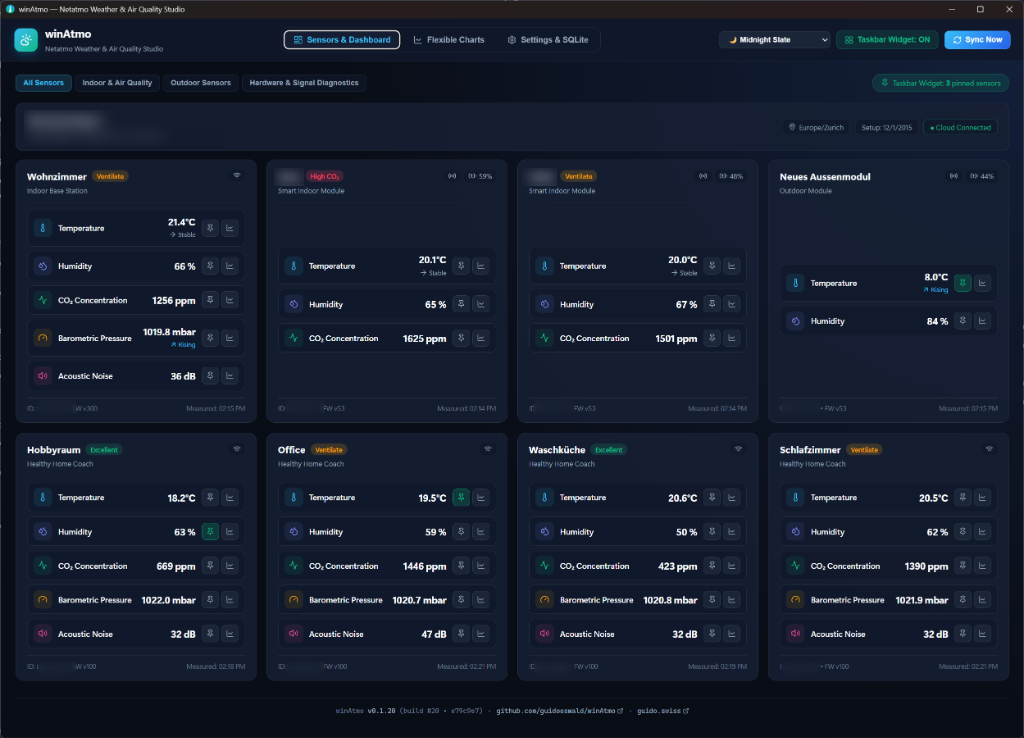
I run a Netatmo Smart Weather Station and a Smart Indoor Air Quality Monitor at home — and their web interface treats them as two separate worlds. The weather station lives in one view, the air-quality monitor in another, and there is no way to join the data from Netatmo's own devices into one unified dashboard. I kept switching between two screens to answer one simple question: how is the environment in and around my home right now?
HomeAtmo — and a gap on Windows
On my MacBook I had been using HomeAtmo, which got me much closer to what I wanted. But there was no equivalent on Windows, and Windows is my main private OS. So instead of waiting for someone else to fill the gap, I built it — and put it on the Microsoft Store for everyone with the same need.
Built with Antigravity in my free time
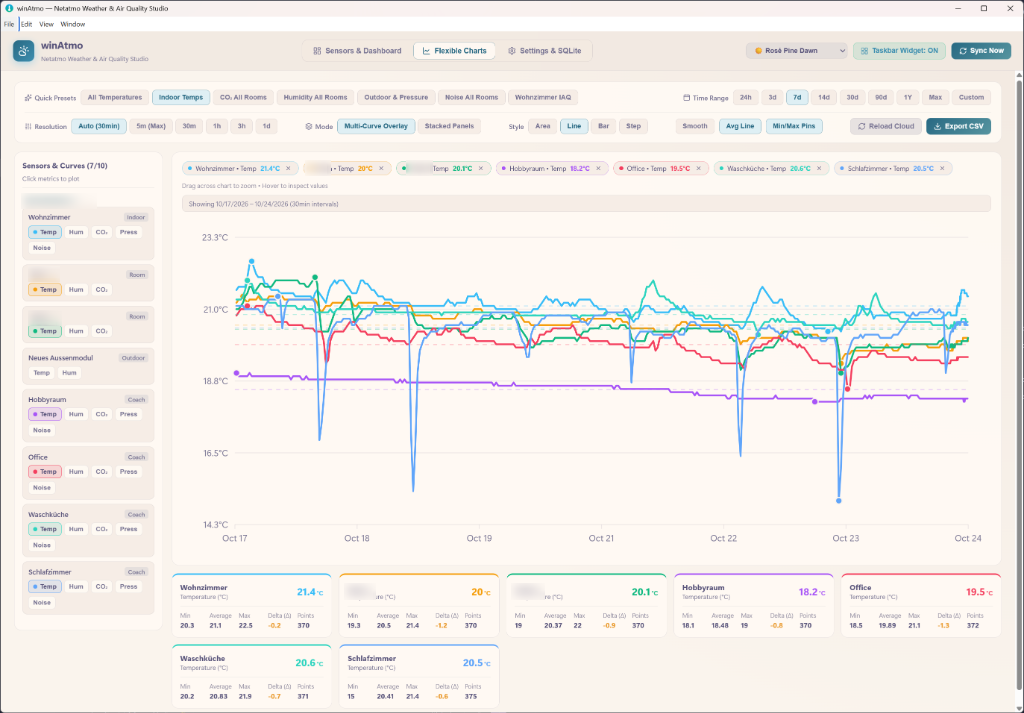
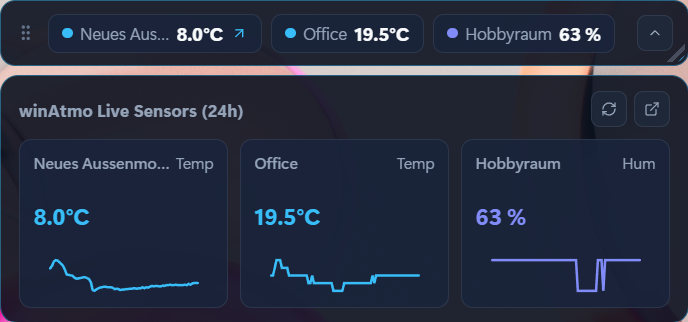
winAtmo is a pet project, built with Antigravity in my free time — evenings and weekends, driven purely by the frustration described above. What started as a small client to join a few sensor readings grew into a full Windows desktop studio: live sensor dashboard, multi-curve Chart Studio with dual synchronized axes, a translucent floating desktop widget, local time-series storage with encrypted credentials and a dozen themes.
What it does today
- Unified dashboard — temperature, humidity, CO₂ with air-quality status, noise, pressure, rain and wind from all stations and modules in one view.
- Multi-curve Chart Studio — up to 10 metrics on one timeline with dual synchronized Y-axes, time ranges from 1 day to the full history.
- Floating desktop widget — ambient monitoring with a CO₂ air-quality ring and 24-hour sparklines, right on the desktop.
- Private by design — all data stored locally in SQLite, credentials encrypted with Windows DPAPI, no analytics or tracking.
Now in the Microsoft Store
winAtmo is published in the Microsoft Store for Windows 10 and 11 — a one-click install with automatic updates, next to the existing GitHub release.
Feedback welcome
If you run Netatmo sensors on Windows, give it a try. Feedback, bug reports and feature ideas are always welcome in the GitHub issues section — that's what shapes the roadmap.