
Software project · By Guido Oswald
winAtmo
Your environment. A clearer view.
A dedicated Windows desktop studio for Netatmo Smart Weather Stations and Smart Indoor Air Quality Monitors — bringing live readings, historical analysis and an ambient desktop widget into one place.
Update · October 2026
Now available in the Microsoft Store
winAtmo is now published in the Microsoft Store on Windows 10 and 11. Install it with a single click — automatic updates included, alongside the existing GitHub release.
Get it from the Microsoft Store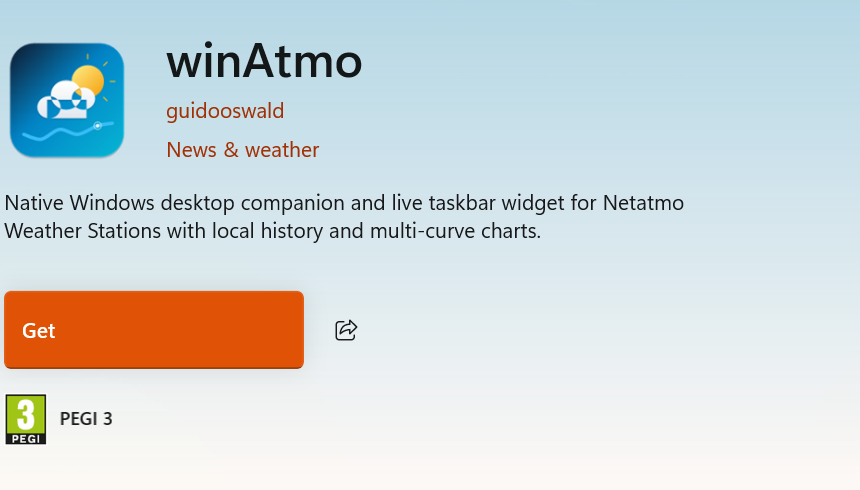
Built for the Windows desktop
winAtmo bridges the gap between Netatmo’s mobile and browser experiences and a dedicated Windows client. Built with Electron, React 19, TypeScript and Node.js, it combines local time-series storage, native Windows integration and a fluid desktop interface.
Four engineering principles guide the project: responsive local queries, encrypted credentials, native Windows ergonomics and precise cross-sensor analysis.
System architecture
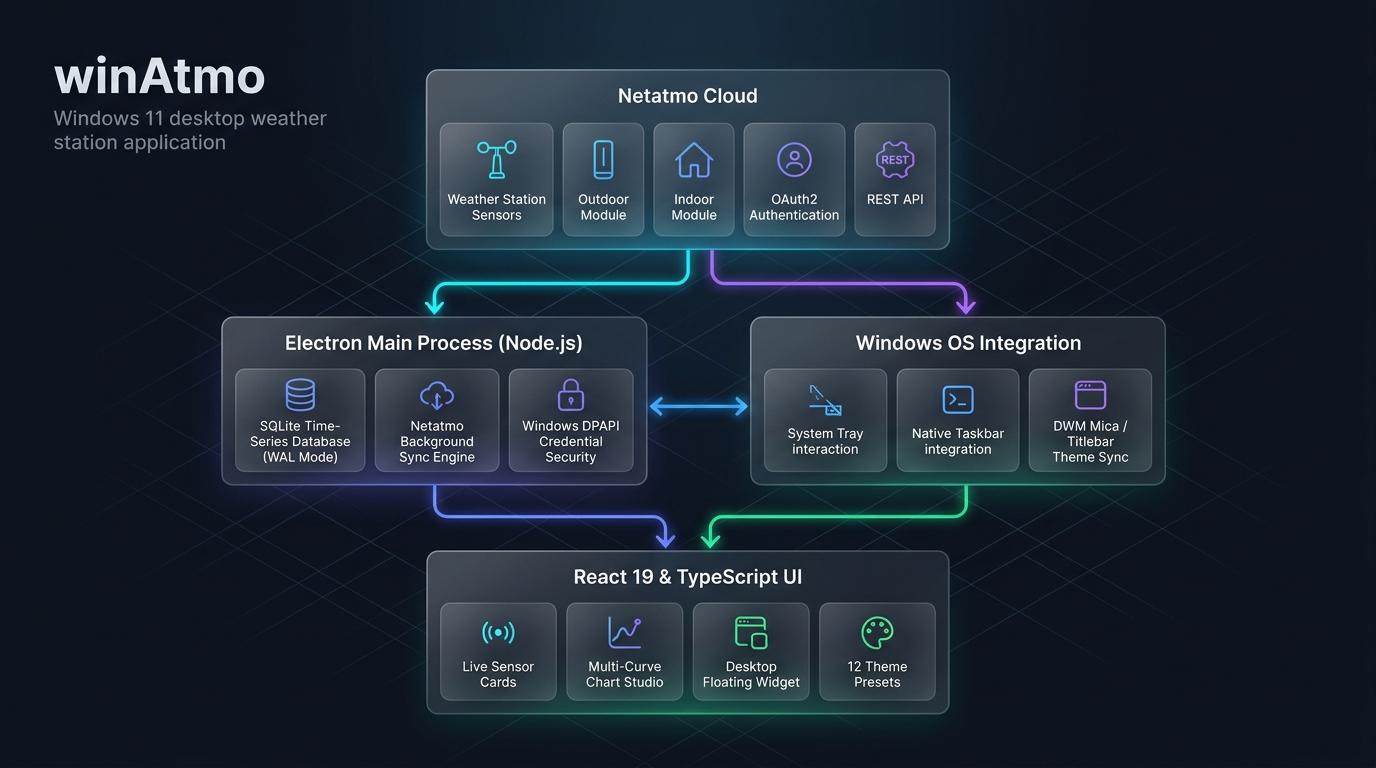
Cloud communication and security-sensitive operations run in Electron’s Main process. The React interface runs in a separate, context-isolated Renderer, connected by a typed asynchronous IPC bridge that exposes only selected safe functions.
- Netatmo synchronization: Official REST endpoints, OAuth2 authentication, automatic token refresh and configurable polling with a 10-minute default and exponential backoff on network failures.
- Local persistence: Embedded SQLite with Write-Ahead Logging (WAL), indexed time-series measurements and atomic ingestion for offline historical analysis.
- Credential protection: Electron’s
safeStorageuses Windows DPAPI to encrypt tokens and credentials at rest. - Isolated interface: Context isolation, disabled Node integration and sandboxing keep operating-system access outside the Renderer.
Live sensor dashboard
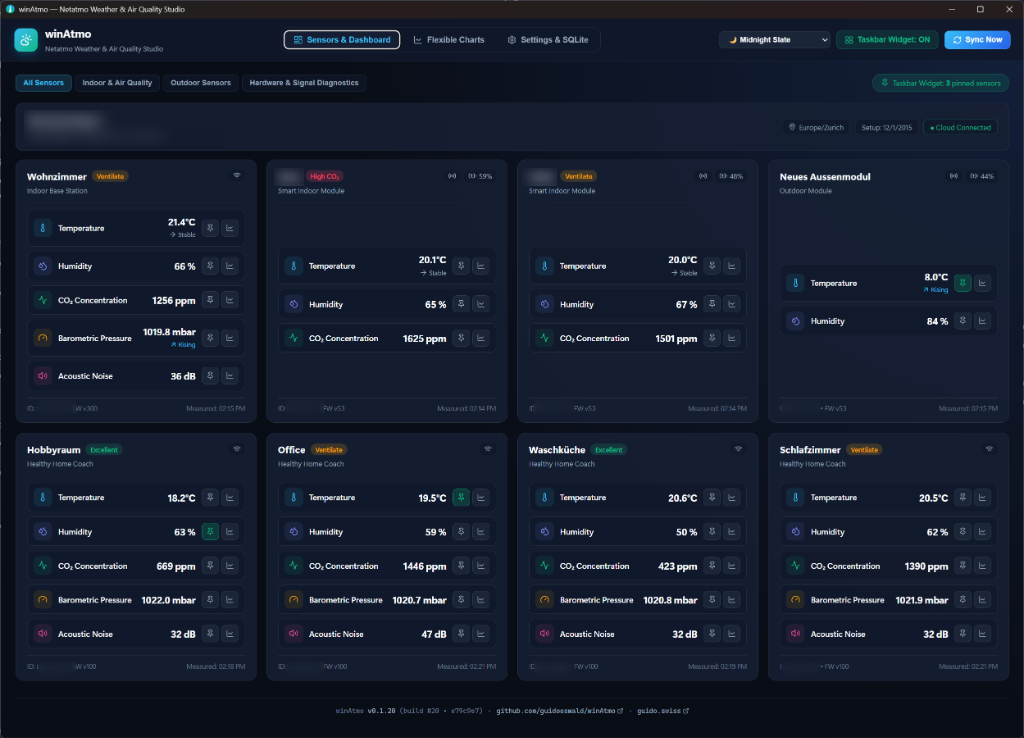
Sensor cards are grouped by station and room. Indoor readings include temperature, humidity, CO₂ with air-quality status, noise and barometric pressure. Outdoor modules add temperature, humidity, rainfall, wind speed, gusts and direction. Battery and radio-signal indicators help identify module issues before they interrupt data collection.
Multi-curve Chart Studio
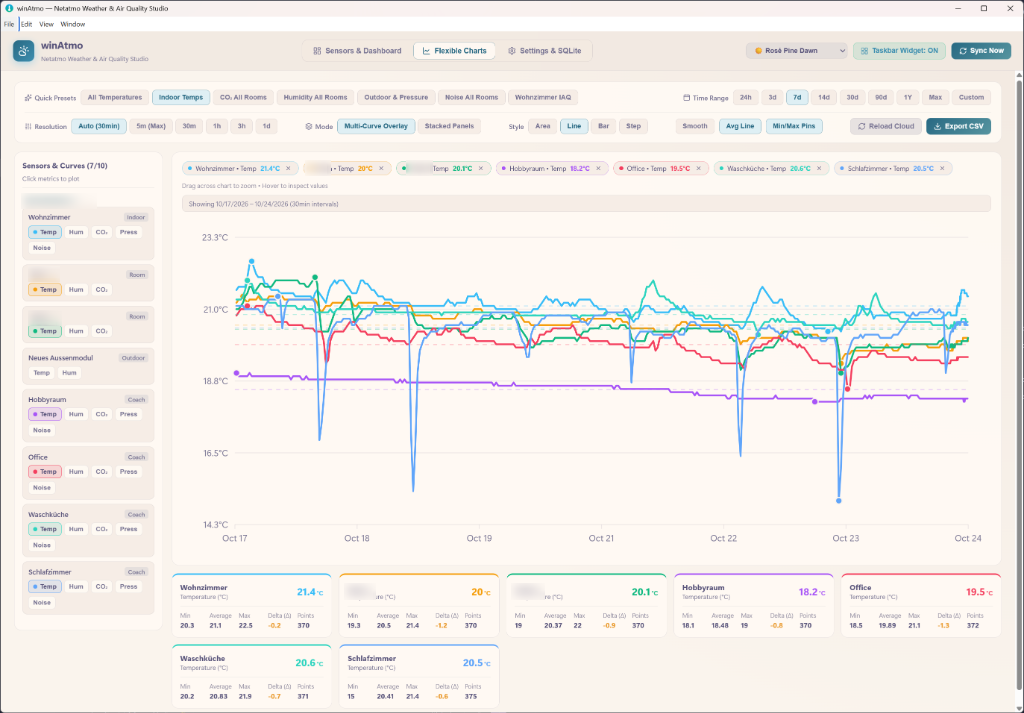
Compare up to 10 metrics across rooms and outdoor modules on one timeline. Dual synchronized Y-axes and color-matched scales make different units comparable. A custom, dependency-free SVG chart engine keeps plots crisp at any display scale; a crosshair and hover inspector reveal readings at a precise timestamp.
Time ranges span 1 day, 7 days, 30 days, 90 days, 1 year, the full history or a custom interval. Sensor-aware presets offer comparisons such as indoor versus outdoor temperature or air quality; rain and wind presets stay hidden when those sensors are absent.
Floating widget & native integration
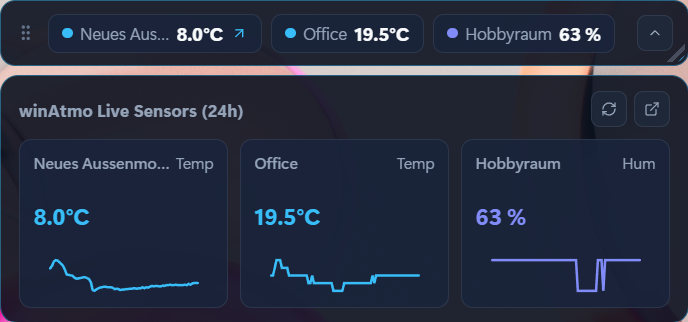
The translucent desktop widget provides ambient monitoring without leaving the main window open. It includes a CO₂ air-quality ring and 24-hour temperature and humidity sparklines. Expand it to inspect more modules, adjust transparency or keep it above other windows; collapsing it preserves its desktop position.
Windows integration includes notification-area persistence, a configurable live sensor reading in the tray and native title-bar synchronization through Desktop Window Manager (DWM).
Themes, settings & privacy
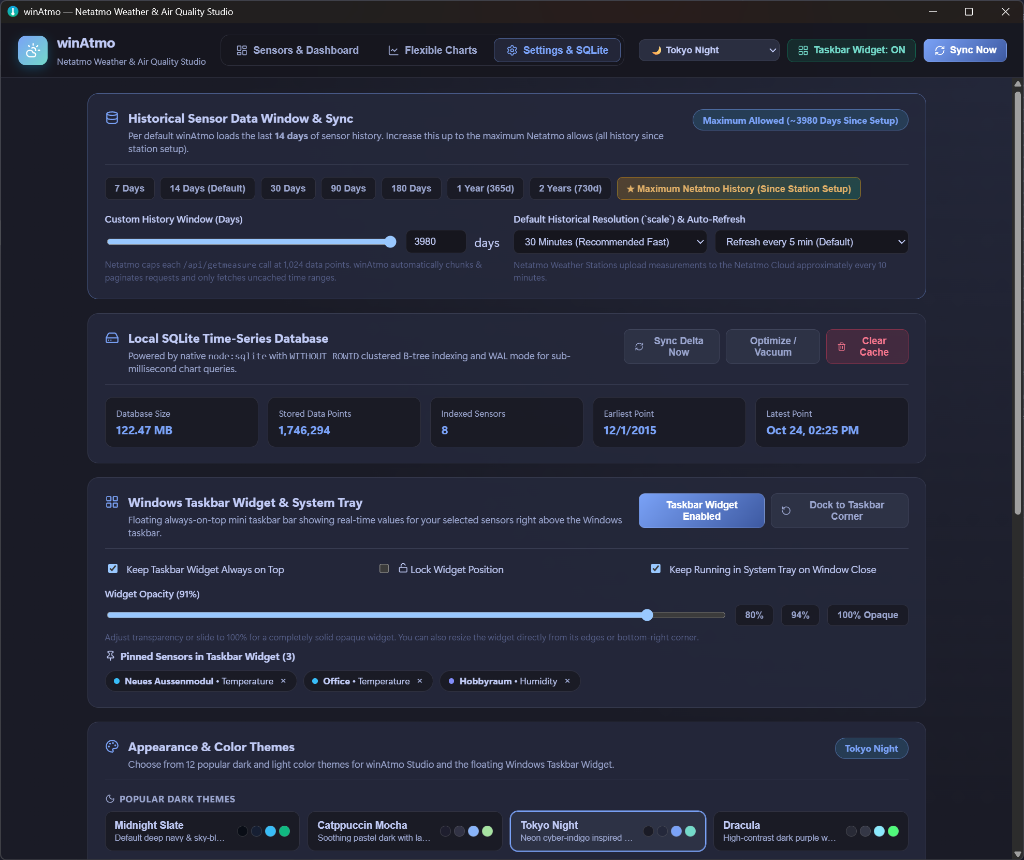
Choose from 12 dark and light themes: System, Charcoal, Midnight Blue, Nord, Cyberpunk, Forest Dark, Dracula, Soft Light, Solarized Light, Paper Warm, Cool Gray and Sandstone. System mode follows the Windows appearance preference.
Settings cover web login or Netatmo developer credentials, temperature and pressure units, synchronization cadence, manual sync, database-size inspection and cache reset.
winAtmo includes no user analytics, advertising or tracking libraries. Its cloud communication uses Netatmo’s official endpoints; credentials remain encrypted locally. This privacy statement applies to the desktop application.
Technology & availability
- Desktop: Electron · Node.js · Windows 10 / 11 (x64)
- Interface: React 19 · TypeScript · Vite · Tailwind CSS 4
- Data & security: SQLite WAL · Windows DPAPI · typed IPC
- Distribution: Available in the Microsoft Store for Windows 10 / 11
- License: MIT · © 2026 Guido Oswald
Explore the source code and project resources in the winAtmo GitHub repository.